








Vendor Managed Inventory: How It Works and When to Use It
Summary • 19 minutes read
Share



When your supplier owns replenishment, your counts have to be right. Most of the time, they depend on someone at the bin remembering to log what they pulled. Some days they do. Some days they don't.
Vendor managed inventory (VMI) lives or dies on that moment of consumption. It holds up only when usage is captured automatically, the instant an item leaves the bin or line station. Close that gap, and you replenish on real use instead of guesswork.
This guide covers how VMI works, how the data moves, and when it's the right fit for your operation.
Main Takeaways
- VMI is a supply chain model where the supplier manages stock at your site and decides when to replenish. Who owns that stock depends on the contract.
- VMI works as a five-step loop: agree on thresholds, share consumption data, monitor stock, replenish automatically, and review regularly.
- Late, hand-typed, or batched usage data is where most VMI programs break, so capture consumption automatically at the bin or station.
- In manufacturing, replenishment follows production pull at point-of-use bins and line stations, and a stockout stops the line.
- Over-replenishment, data latency, stale thresholds, unclear ownership, internal resistance, and supplier lock-in are the main failure modes. Each has a specific control.
- Traditional, VMI, consignment, and co-managed inventory differ by who owns stock, who controls replenishment, and when payment happens.
What Is Vendor Managed Inventory?
Vendor managed inventory (VMI) is a supply chain model where the supplier manages stock at your site. The supplier decides when to replenish and how much to send. You share consumption data. The supplier uses it, plus agreed minimum and maximum stock levels, to ship without waiting for a purchase order (PO).
Ownership depends on the contract. In some programs, you own stock once it arrives. In others, the supplier keeps ownership until you use it, which pairs VMI with consignment. Either way, the supplier makes the replenishment call.
That's the key difference from traditional inventory management. In a traditional setup, your team watches stock and orders at a reorder point. In VMI, the supplier makes that call for you.
How Vendor Managed Inventory Works Step by Step
Vendor managed inventory runs on a repeatable loop. You and your supplier agree on min/max thresholds. The supplier then watches stock through shared consumption data and ships when levels cross a line. Regular reviews keep those lines in the right place.
The VMI Workflow
Most VMI programs follow the same five steps, whatever the industry.
- Agree on thresholds and terms. Buyer and supplier set min/max levels for each item and sign off on service level agreement (SLA) terms.
- Share consumption data. The customer site sends usage data to the supplier in real time or close to it.
- Monitor stock. The supplier checks current levels at the site against the agreed thresholds.
- Trigger replenishment. When stock drops toward the minimum, the supplier ships on its own. That's autonomous replenishment in practice.
- Review and adjust. On a set schedule, both parties check performance and reset thresholds where demand has shifted.
Look at who makes the call in step four. The supplier decides when to ship and how much. Your team stops writing purchase orders for those items in the usual sense.
Step two is where most programs crack. If usage data arrives late, typed by hand, or in a weekly batch, the supplier is guessing. Every later step inherits that guess as a stockout or an overstock. Here's how the loop looks in three real settings.
VMI in Action: Three Examples
Retail. Walmart and Procter & Gamble made VMI famous in retail. P&G uses Walmart's sales data to plan and ship replenishment without individual orders from Walmart. Fill rates stay high, and Walmart's ordering workload drops.
Automotive manufacturing. A fastener supplier runs VMI into automotive assembly plants. It watches point-of-use bin levels at each line station and ships stock before a bin runs empty. The line keeps moving, and plant staff never have to place an order.
Distribution. A packaging supplier keeps stretch wrap, labels, and cartons stocked at a customer's distribution center. Fixed RFID readers log supplies as they leave the stockroom. The supplier ships on that signal, so the warehouse team never stops to count.
How VMI Data Gets from the Customer Site to the Supplier
VMI data moves through three layers. First, RFID readers or barcode scanners at the customer site record each consumption event. Next, an application programming interface (API) or electronic data interchange (EDI) link carries that event to the supplier's system. Finally, business rules in the supplier's enterprise resource planning (ERP) or material requirements planning (MRP) system compare stock to min/max levels and decide what to replenish.
The Physical Layer: RFID and Barcode Scanning
Everything starts the moment a part leaves a bin, comes off a shelf, or gets used on the line. A reader or scanner turns that physical moment into a data point. Most explanations of VMI skip this layer entirely. They assume the numbers simply show up in software.
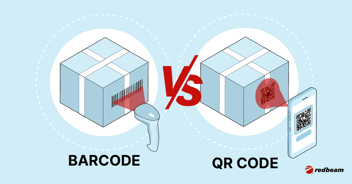
The two tools capture that moment in different ways. RFID readers fixed at bins, dock doors, or line stations read many tagged items at once. They don't need line of sight. A barcode scanner needs someone to make a deliberate scan for each item. Either way, you get an event stamped with a time and a location.
RFID keeps getting easier to justify. IDTechEx forecast that about 55 billion passive RFID tags would sell in 2025, up from 50 billion in 2024. More volume tends to push per-tag costs down, which brings more items within reach of tagging.
The Transport and Rules Layers: API, EDI, and ERP Thresholds
Once an event exists, it needs a ride to the supplier. EDI is a standard format trading partners use to swap inventory and order data between systems. It carries data well. It can't create a consumption event, though. That job belongs to the physical layer.
REST APIs offer a second route. They push each consumption event to the supplier's system in near real time. That's often faster than batch EDI. When the data lands in the supplier's ERP or MRP, business rules take over. They compare current stock to the agreed min/max levels. If stock falls below the minimum, the system triggers a replenishment order.
Spending on this stack is climbing. MHI and Deloitte surveyed supply chain leaders for the 2025 MHI Annual Industry Report. Of those leaders, 88% expect to adopt sensors and automatic identification within five years. And 55% have already raised their supply chain technology budgets.
Even so, many VMI programs still lean on customer staff to log usage or run periodic cycle counts. That lag between use and record leads straight to the failures covered below. With our RFID tracking software, fixed readers log each removal the moment it happens.
|
How VMI Works in Manufacturing
In manufacturing, VMI runs at the point of use. Line-side bins, assembly stations, and work-in-progress (WIP) handoff points set the pace. The supplier replenishes based on what production actually consumes there, not on warehouse-level reorder points.
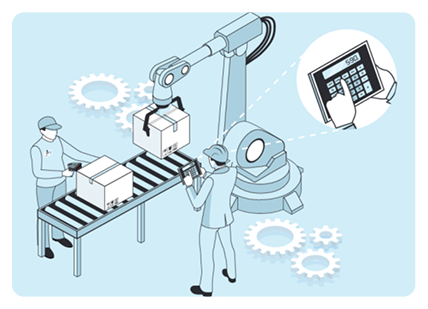
Picture a point-of-use bin at each workstation or assembly cell. An operator pulls parts, and an RFID reader or barcode scan logs the removal. That event becomes the signal the supplier acts on. Retail VMI responds to shelf-level demand. On a plant floor, the trigger is production pull, so parts get consumed at whatever rate the line runs.
Threshold triggers are only half the job here. Strong suppliers also plan against your production schedule. If you're running a double shift next week, they pre-position stock before the first extra shift starts.
WIP visibility carries just as much weight. Materials move from raw stock to in-process to finished goods. If the supplier can't tell staged parts from consumed parts, it ships more than you need. That visibility is still rare. In a 2024 Zebra Technologies study, only 16% of manufacturing leaders reported real-time WIP monitoring across their entire process. That's why automated capture at the bin or station is the critical investment for plant VMI.
Three traits set manufacturing VMI apart. Consumption tracks the production rate, so customer buying habits don't drive it. Replenishment windows are tighter. And a stockout means a stopped line, where in retail it means an empty shelf. Get the data loop tight, and the payoff shows up as uptime.
|
Track Parts Through Every Production Stage Fixed RFID readers at each workstation capture WIP movement and consumption as it happens. See how that data flows into your ERP and MRP in real time. |
Benefits of Vendor Managed Inventory for Buyers and Suppliers
Both sides of a vendor managed inventory deal come out ahead. Buyers see fewer stockouts and less ordering work. Suppliers gain demand visibility that sharpens forecasts, production plans, and delivery.
Buyer Benefits
- You see fewer stockouts because real consumption triggers replenishment and nobody has to remember to place an order.
- Carrying costs fall because the supplier sizes each delivery to your thresholds. Your team stops over-ordering as a safety buffer.
- Cash flow improves. Smaller, more frequent deliveries mean less capital sits on your shelves.
- Ordering workload shrinks. Purchasing staff move from routine reorders to handling exceptions and reviewing supplier performance.
Supplier Benefits
- Direct access to customer consumption data sharpens supplier forecasts. It also reduces the bullwhip effect, where small demand swings grow larger up the supply chain.
- Suppliers see demand signals before a PO lands, which makes production and logistics planning easier.
- Customer retention gets stronger, because VMI deepens the relationship and raises switching costs.
Every one of these gains depends on both parties trusting the consumption data. When a VMI program fails, poor data is usually the root cause.
Risks and Failure Modes of VMI Programs
VMI programs tend to break in six familiar ways: over-replenishment, data latency, stale thresholds, unclear ownership, internal resistance, and supplier lock-in. Each one has a specific control that prevents it.
Over-replenishment risk is the chance that your supplier ships more stock than you need. It happens for two reasons. Some suppliers push extra volume to inflate sales. Others work from thresholds that are off, so the system orders too much on its own. Either way, you end up storing inventory you won't use soon.
Three controls keep it in check. Write SLA clauses that cap shipment quantities relative to actual consumption. Run consumption checks against your RFID data. Then review thresholds every quarter.
Excess stock already weighs on manufacturers. The U.S. manufacturing inventories-to-shipments ratio was 1.48 in August 2026, per the U.S. Census Bureau M3 Survey. That's about a month and a half of shipments sitting in stock. Over-replenishment through VMI only adds to that load.
Data latency causes a quieter failure. When consumption data reaches the supplier hours or days late, the supplier may restock bins that are already full. It may also ship for items nobody used, creating phantom orders. The fix is automated RFID or barcode capture with near-real-time API push, replacing batch uploads and manual counts.
The last four risks come down to oversight.
- Stale thresholds. Min/max levels set once and never reviewed drift away from real demand. Schedule monthly or quarterly reviews backed by consumption trend data.
- Unclear ownership. When neither party owns exception resolution, stockouts sit unresolved. Define escalation paths and response-time SLAs in the VMI agreement.
- Internal resistance. Purchasing teams may push back on handing over ordering control. Start with a pilot set of stock keeping units (SKUs), share performance data openly, and frame VMI as a lighter workload.
- Supplier lock-in. Deep system integration and long contracts can make switching suppliers hard. Write exit terms, data ownership, and transition support into the agreement.
Bad data or weak oversight sits behind every failure here. You can fix both before they do damage.
VMI vs. Traditional, Consigned, and Co-Managed Inventory
The four models differ on two questions: who owns the stock, and who decides when to reorder. In traditional inventory management, you own the stock and place every order. In VMI, the supplier decides when and how much to replenish, and ownership depends on the contract. In consigned inventory, the supplier owns stock until you use or sell it. In co-managed inventory, both parties share replenishment decisions, and you keep the final say.
Consignment is also called vendor owned inventory. Many programs combine VMI with consignment, so the supplier both owns and manages the stock. The table below compares all four models across the five factors that matter most.
|
Model |
Inventory Ownership |
Replenishment Control |
Payment Timing |
Data-Sharing Requirement |
Best Fit |
|
Traditional |
Buyer owns |
Buyer controls |
On delivery or receipt |
Low (purchase orders only) |
Low-volume, irregular, or strategic items your team wants to manage directly |
|
VMI |
Set by contract (buyer or supplier) |
Supplier controls |
On delivery, receipt, or use, set by contract |
High (real-time consumption data) |
High-volume, predictable-demand items where the supplier has better demand visibility |
|
Consignment |
Supplier owns until use or sale |
Supplier or buyer controls |
On use or sale |
Medium (usage reporting) |
Slow-moving or high-value items where the buyer wants to avoid carrying cost risk |
|
Co-managed |
Buyer owns |
Shared (buyer approves) |
On delivery or receipt |
Medium-high (shared forecasts) |
A transitional model, or categories where the buyer isn't ready to hand over full control |
Your choice turns on three questions. Who sees demand more clearly? Who should carry the financial risk? How much trust and data setup do you share? VMI fits best when the supplier sees demand clearly, and you can share clean consumption data.
Supplier-Side Operations: Running VMI Across Multiple Sites
Running VMI at many customer sites takes three things. You need one central view of every site's inventory and automated exception alerts. You also need capture setup that works without customer staff logging usage.
A central dashboard lets you track stock at each customer location against its own thresholds. When stock falls below min, consumption spikes, or data goes stale, an alert flags it. You don't have to check each site by hand.
Automated capture is still uncommon. In Industrial Distribution's 2024 survey, 53% of distributors said they run VMI programs. Yet fewer than a quarter offered vending machines at customer locations.
The way forward is to own the capture layer yourself. Fixed RFID readers, smart bins, or vending units at the customer site record consumption without any customer data entry. Your system then checks physical counts against shipment records on its own. With our software, you can manage RFID readers at every customer site from one cloud console. Cellular-enabled Zebra fixed readers send usage data without relying on the customer's network. Our REST APIs then push it into your ERP.
Ownership is what lets you scale. If every customer has to install and maintain readers, your growth moves at their pace. When you own the setup, you can add dozens of sites without matching headcount or relying on customer habit.
|
Run VMI Across Sites Without Relying on Customer Staff Scaling to multiple customer locations means owning the capture layer yourself. See how fixed RFID readers and REST API integration handle that without adding headcount. |
VMI KPIs and How to Calculate Them
Six KPIs show how your VMI program is performing. They're fill rate, on-time in-full (OTIF), days of supply, inventory turnover, forecast accuracy, and order cycle time.
The table below lists what each metric measures, how to calculate it, and what to aim for. Use it to set targets in your SLA and track trends at each review.
|
KPI |
What It Measures |
Formula |
What to Aim For |
|
Fill rate |
Share of demand filled from available stock |
Units shipped divided by units ordered, times 100 |
95% or higher is a common retail goal. Target sets a 95% fill rate goal for vendors, per SupplyPike. |
|
OTIF (on-time in-full) |
Share of orders delivered complete and on schedule |
Orders delivered on time and in full, divided by total orders, times 100 |
Set in your SLA. Large retailers fine suppliers for missed delivery windows. |
|
Days of supply |
How many days current stock will last at today's usage rate |
Current inventory divided by average daily usage |
Varies by category; lower means leaner |
|
Inventory turnover |
How often stock is consumed and replaced in a period |
Cost of goods consumed divided by average inventory value |
Higher means more efficient; benchmarks vary by industry |
|
Forecast accuracy |
How closely supplier forecasts match actual consumption |
1 minus (the absolute gap between forecast and actual, divided by actual), times 100 |
Higher is better; track the trend at each review |
|
Order cycle time |
Time from replenishment trigger to delivery |
Delivery date minus order trigger date |
Shorter is better; target depends on lead times |
Read these numbers as a set. A high fill rate paired with low turnover can point to over-replenishment. Strong OTIF next to weak forecast accuracy may mean the supplier is expediting to cover bad demand signals. Review all six together at each periodic business review.
These KPIs turn VMI from a handshake into a measurable program. They give both sides what they need to adjust thresholds, flag problems, and prove ROI.
How to Launch a VMI Program Without Creating Stockouts or Trust Issues
A strong launch needs a scoped pilot, clear data-sharing terms, and a sound system setup. It also needs firm threshold rules and oversight that guard against stockouts and lost trust.
Keep the pilot narrow: one or two sites, a set of high-volume, predictable SKUs, and 60 to 90 days. Define SLAs before day one. Cover fill-rate targets, replenishment response times, escalation paths, and how often you review thresholds.
To run VMI, you need four things in place:
- Data fields. Share stock levels, consumption events, and threshold settings.
- Timing. Agree on real-time push or a daily batch.
- Transport. Pick an API, EDI, or supplier portal.
- Access controls. Use role-based access, SOC 2 Type II certified platforms, and encrypted transport.
Buyers often worry about giving suppliers too much visibility. Limit shared fields to what replenishment decisions require and nothing more.
Set opening min/max levels from historical consumption. Review them monthly during the pilot and quarterly once things settle. Add exception rules for sudden spikes, holiday shutdowns, and orders the supplier can't fill within the SLA. The programs that last past the pilot wrote these rules before the first stockout.
Put Vendor Managed Inventory to Work at the Point of Use
You can now judge whether VMI fits your operation. You also know replenishment is only as good as the consumption data behind it. So plan to capture that data automatically, and let real use drive every shipment.
We help you capture usage at the bin, so your program runs on data nobody has to log by hand. Refill follows real use, so stockouts and excess inventory shrink together. If you're a supplier, you can run VMI at customer sites without waiting on customer staff to record usage. That's Tracking Made Easy™ in practice.
See how our vendor managed inventory software captures consumption without customer staff logging a thing.
|
See Your VMI Program Run on Real Consumption Data Walk through how fixed RFID readers capture usage at the bin and send it to your ERP. We’ll map the setup to your sites and the items you want to start with. |
FAQs About Vendor Managed Inventory
Do I need RFID to run a VMI program, or is barcode scanning enough?
You don't need RFID to start. Barcode scanning works when volume is low and someone scans on purpose. RFID wins when items leave bins in bulk, move at line speed, or leave no time to stop and scan. Choose based on consumption speed and how reliably staff will scan every time.
Who owns the inventory in a VMI program?
It depends on the contract. In many programs, you take ownership when stock arrives, and the supplier only manages replenishment. In others, the supplier keeps ownership until you use the item, which pairs VMI with consignment. Spell out ownership, payment timing, and liability for damaged stock in the agreement.
Which items should I put into a VMI program first?
Start with high-volume, predictable-demand items that are cheap to ship and costly to run out of. Fasteners, packaging, and common consumables fit well. Skip low-volume, high-value, or highly variable items at first. Keep the first batch small enough that you can review it closely against your thresholds.
How do I know if my VMI program is working?
Compare your fill rate and stockout count before and after launch. Both should improve. Inventory levels should hold steady or fall. Rising inventory with a flat fill rate points to over-replenishment. Spot-check physical counts against the supplier's reported stock levels to confirm the data is accurate.
What should I do if my supplier keeps shipping more than we use?
Pull your consumption records and compare them to what was shipped. Bring that gap to your supplier, along with the SLA terms that cap shipment quantities. First rule out min/max thresholds that are off, which can cause overshipping without any intent. If the pattern continues after threshold fixes, escalate through your agreed exception path. Then renegotiate or end the arrangement.
How do I run VMI at a customer site where staff won't log usage?
Take staff out of the data path. Place supplier-owned capture hardware, such as fixed RFID readers or smart bins, at the point of use. Consumption is then recorded when items leave the bin, with no extra steps for customer staff. Confirm site access and power during setup. Cellular-enabled readers keep data flowing without relying on the customer's network. Test the first replenishment cycle before you scale to other locations.